
Should you wish to re-hire an employee who has previously left your employment during the current tax year, the employee's previous record can be seamlessly copied and completed accordingly on their return.
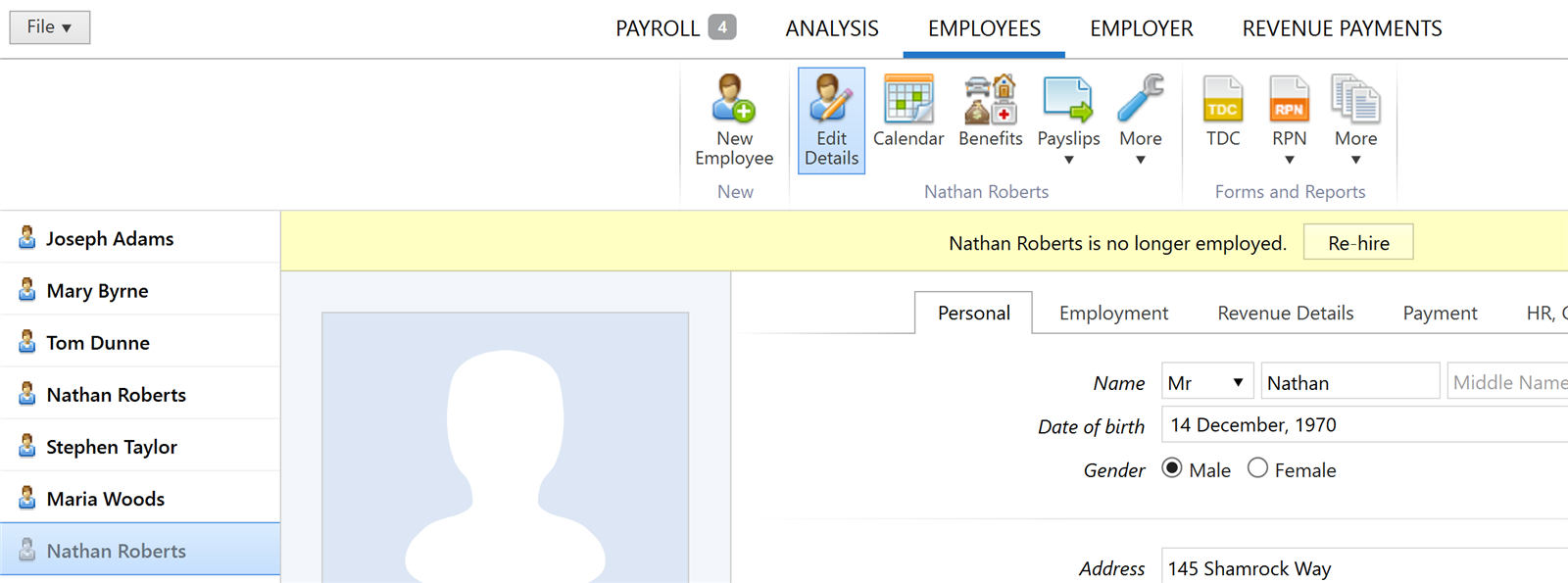
- To re-hire an employee who has previously left in the same tax year, go to Employees and select the leaver record.
- Click the Re-hire button on the yellow bar:
- On the next screen, complete each field accordingly and choose which details you would like to copy from the employee's previous record
- Click Create when complete:
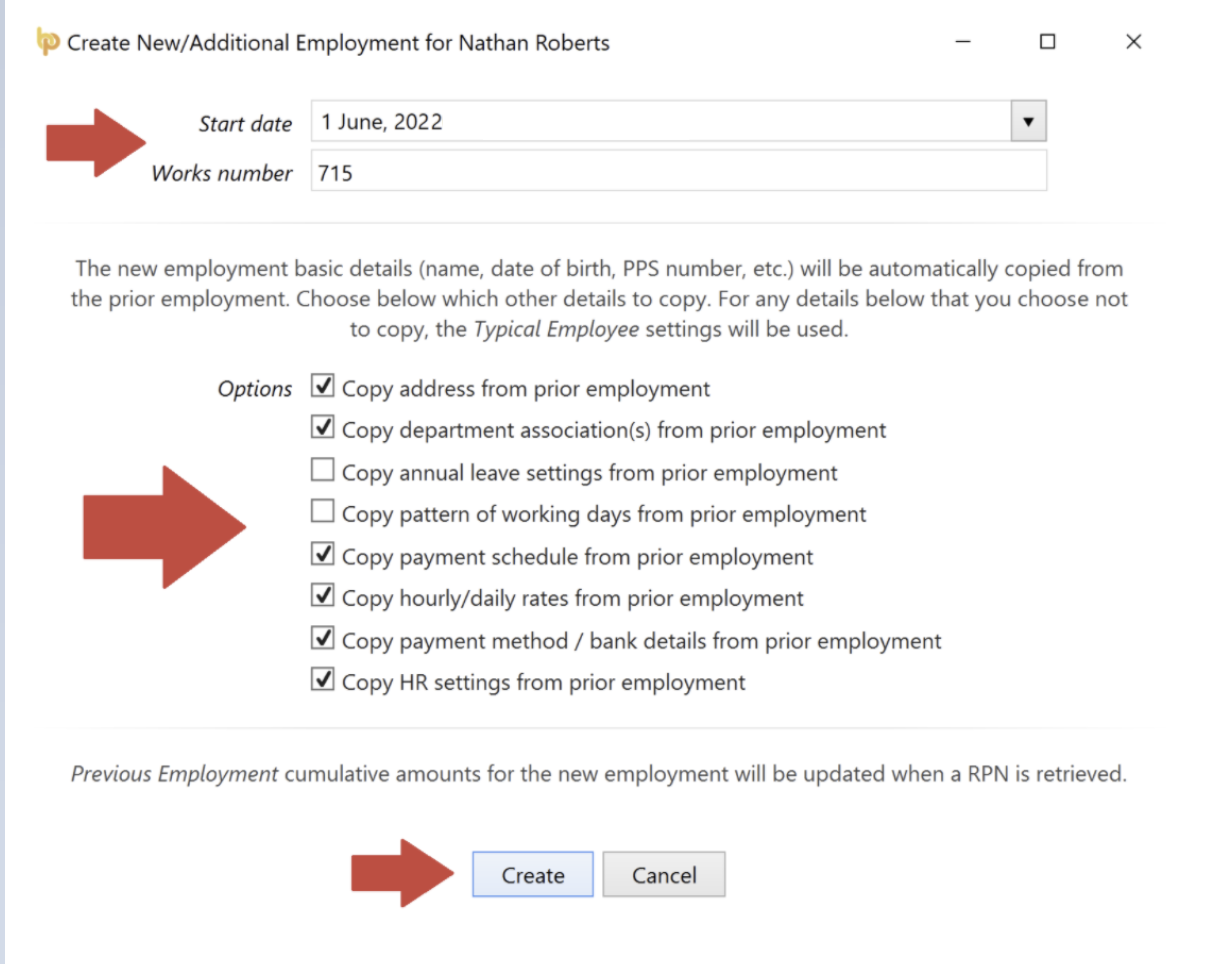
- A new employee record will now be set up for the employee.
Please note: it is recommended that the employee record is reviewed before processing any payroll for the employee. Any additional or missing employee information can be manually entered, if required.
Comments
0 comments
Article is closed for comments.