
If you have employees assigned to more than one department, their pay can be allocated across these departments. This will facilitate accurate departmental analysis at the reporting stage. Employees can be assigned to departments within their employee record.
Within the ‘Payroll’ function, select the employee’s name from the summary list to access their payslip.
1) If the employee is paid a basic amount, click the ‘Edit’ button within the ‘Pay’ section to view/amend the employee’s weighting in each department. The weighting can be changed by dragging the bars to the percentage required: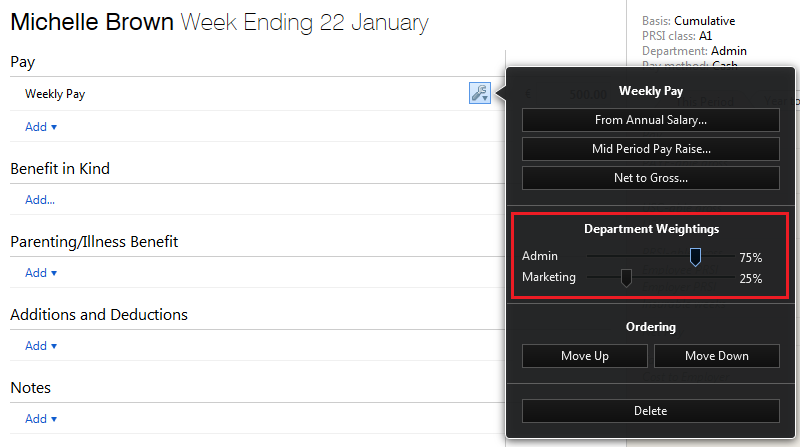
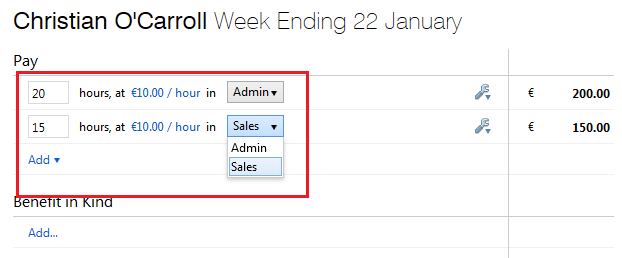
2) Alternatively, if the employee is paid by the hour, departments can be assigned to each hourly rate so that the number of hours spent in each department will be captured instead:
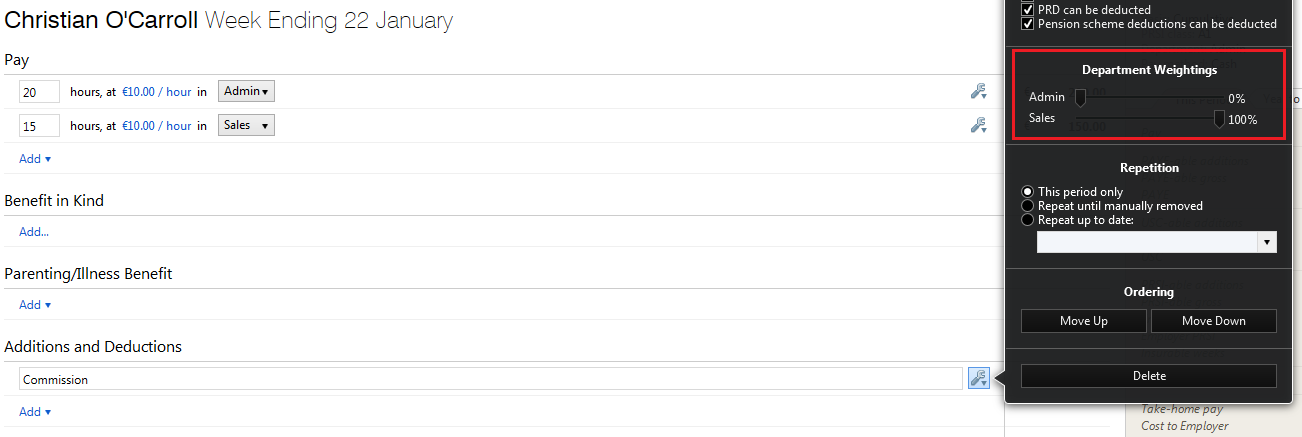
Departmental weightings can also be assigned to all addition and deduction types if required:
Comments
0 comments
Article is closed for comments.