
A Bureau Statistics Report can be accessed at any time via the BrightPay Open Company screen.
- Simply click the cog icon at the bottom of the Open Company screen, followed by Bureau Statistics Report:
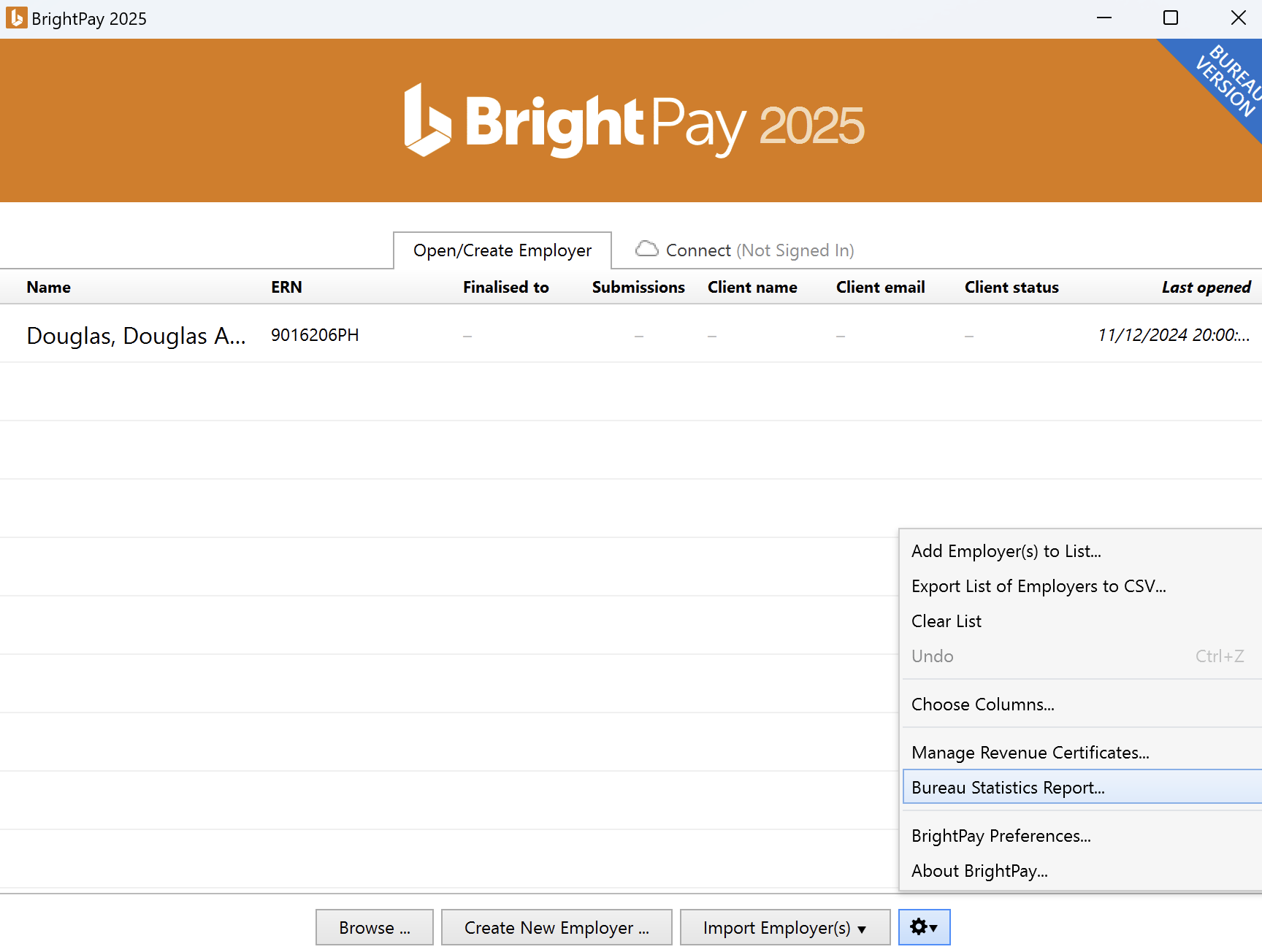
This feature allows a payroll bureaus to create a statistical report containing data for each of their clients shown on their Open Company screen in order to assist with billing purposes, etc.
- Enter a Bureau name to include on the report
- Select how you wish to Display employers by
- Select the date range for the report
- Select the data to include for each employer
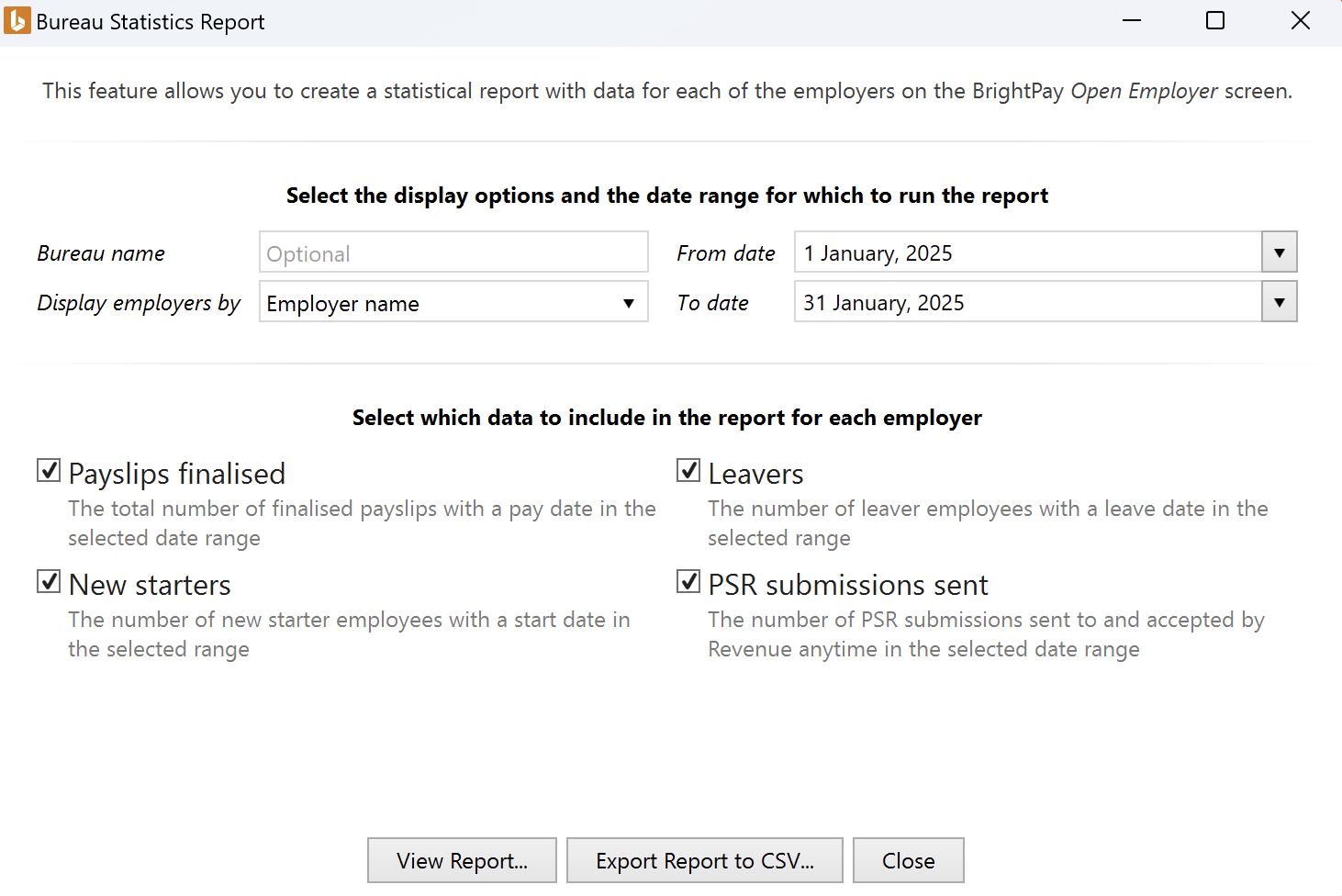
After selecting your report criteria, simply click View Report... . This report can subsequently be printed, emailed or exported as required.
Alternatively, to export the data to CSV, click Export Report to CSV... .
Comments
0 comments
Article is closed for comments.